FROM BIN TO BUILD

Less searching. More making.

Parts Inventory connects the everyday work of a workshop without turning inventory into an administrative project.

See how it works
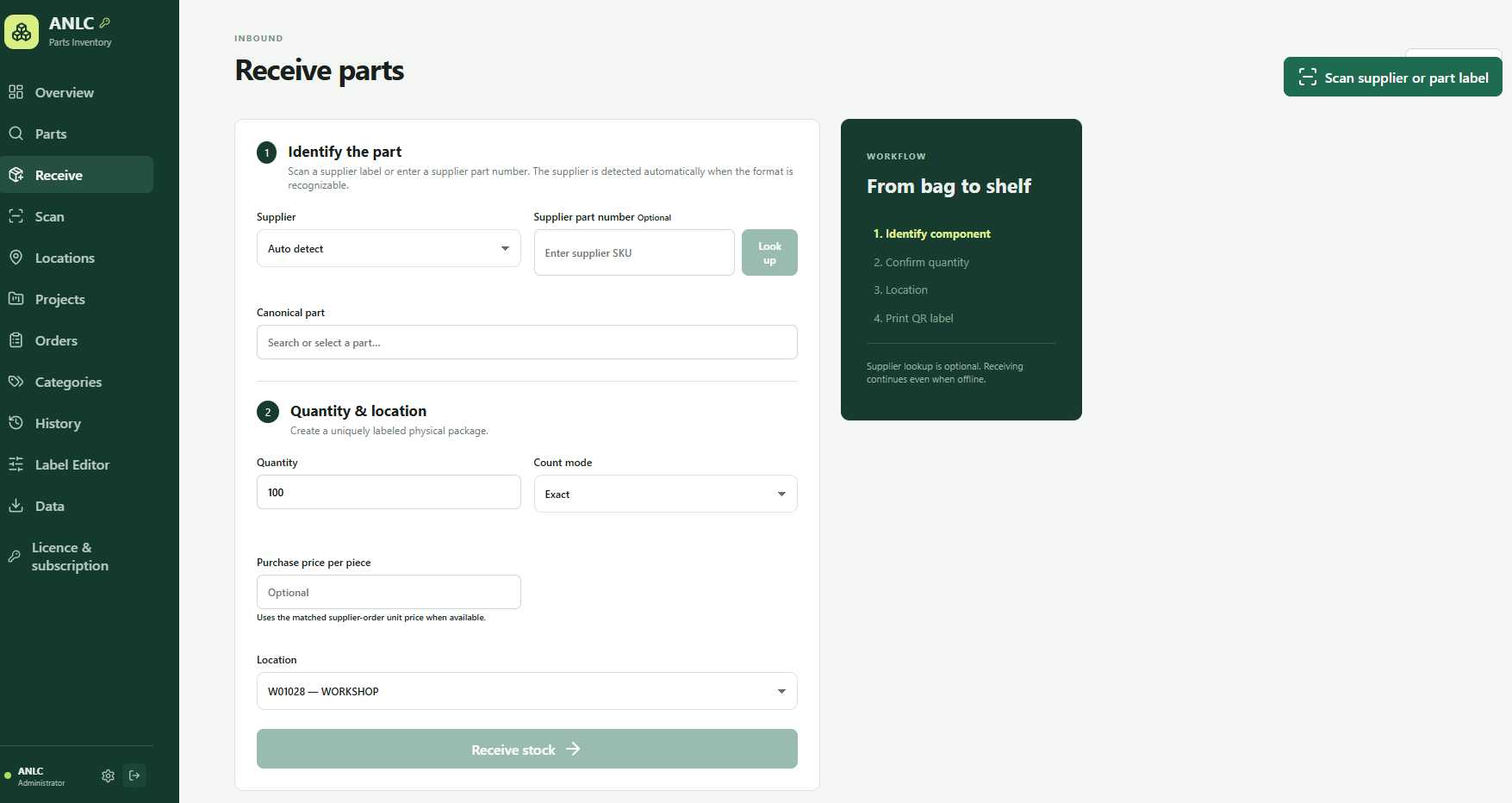
Receive partsMobile overview
RECEIVELABELFINDUSE
01

Know your stock

Parts, stock packages and locations stay clearly separated.

Extended description +

One part can live in several places and packages. Parts Inventory stores its technical identity once, then follows every physical stock package separately—with quantity, location, price and history.

  • Parts and suppliers
  • Stock packages by location
  • Categories and datasheets
Parts and suppliersStock packages by location
02

Receive without detours

Move from supplier number to a labelled location in four clear steps.

Extended description +

Scan a label or enter a supplier number. Review the matched part, confirm quantity and purchase price, select a location and print a permanent QR code. Manual receiving always remains available.

  • Automatic supplier detection
  • Order-line matching
  • Quantity, location and price
Automatic supplier detectionOrder-line matching
03

Find what you need

Scan QR and 1D codes or search parts, stock and locations.

Extended description +

Use a phone, photo or handheld scanner. Permanent identities keep working when a part is renamed or stock is moved. Historical codes can redirect safely.

  • Live camera and photo
  • Handheld scanner support
  • Permanent QR identity
Live camera and photoHandheld scanner support
04

Create professional labels

Design labels around your bins, drawers and workflow.

Extended description +

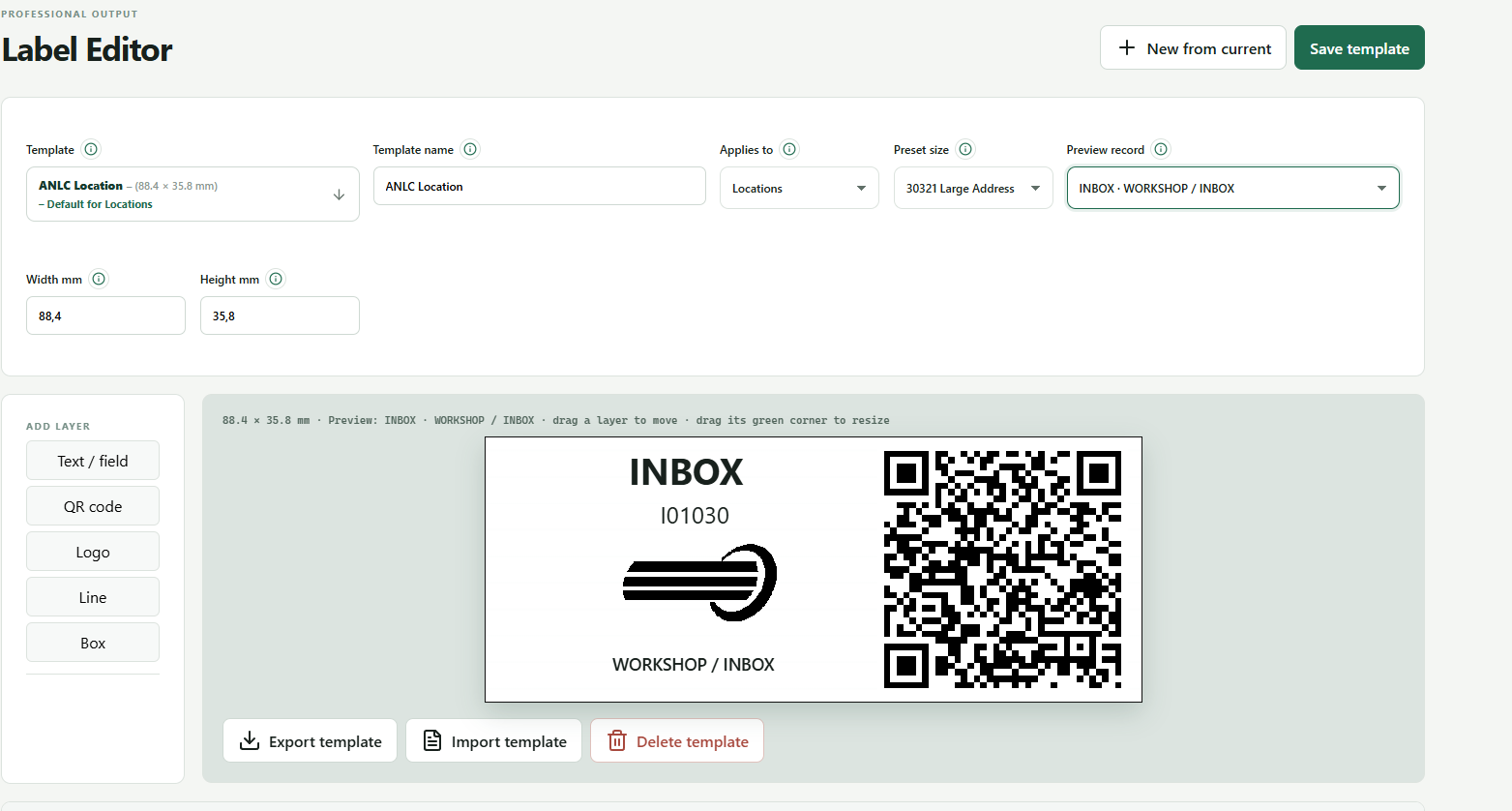
Set exact millimetre dimensions and combine text, data fields, QR codes, logos, lines and boxes. Save, import or export templates and print through the browser.

  • Reusable templates
  • Free layer positioning
  • QR, logo, line and box
Reusable templatesFree layer positioning
05

Work with context

Projects, BOMs, orders and stock movements stay connected.

Extended description +

Plan parts per project, manage supplier orders and see who performed each stock action. History provides a practical trail for finding, correcting and collaborating.

  • Projects and BOMs
  • Supplier orders
  • User-attributed history
Projects and BOMsSupplier orders
06

Keep control of your data

Local storage, verified backups and roles for your team.

Extended description +

The self-hosted installation uses local SQLite storage in a persistent volume. Create manual or scheduled backups, optionally encrypt exports and divide access across three roles.

  • Backup and verified restore
  • Administrator, Inventory Manager, Operator
  • CSV import and export
Backup and verified restoreAdministrator, Inventory Manager, Operator
THE REAL PRODUCT

Designed around the shop floor.

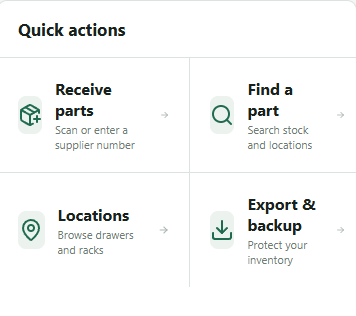
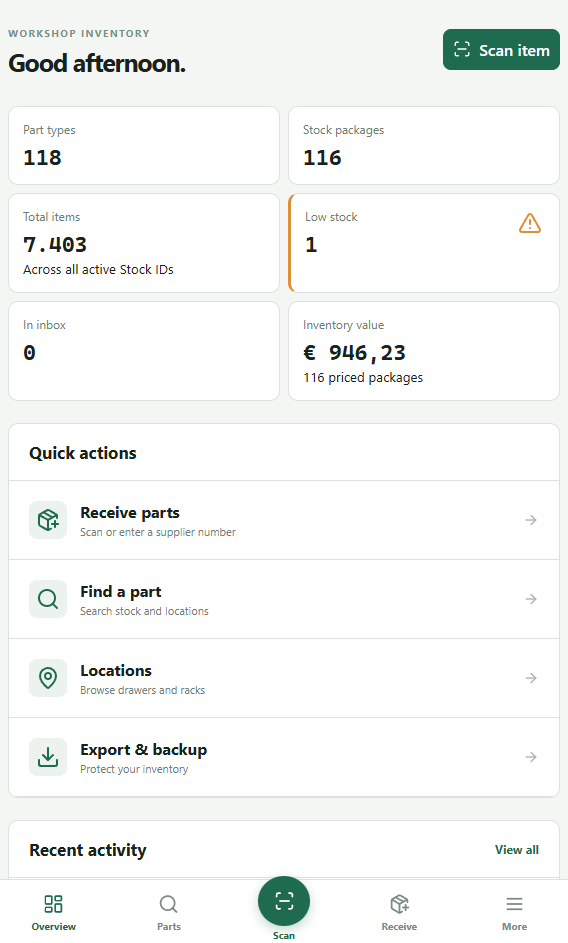
Label EditorQuick actionsMobile overview
SYSTEM REQUIREMENTS

One small server. Every workbench.

Server
Current LTS Linux x86-64 with Docker Engine and Compose v2, or Windows x64 with Docker Desktop and WSL2.

Clients
Current Chromium-family browser; Safari on iPhone/iPad and Chromium on Android. Live camera requires HTTPS.